

Let's do it together!
Step 1: Open Settings
Head to the easyscan settings to access configuration options.
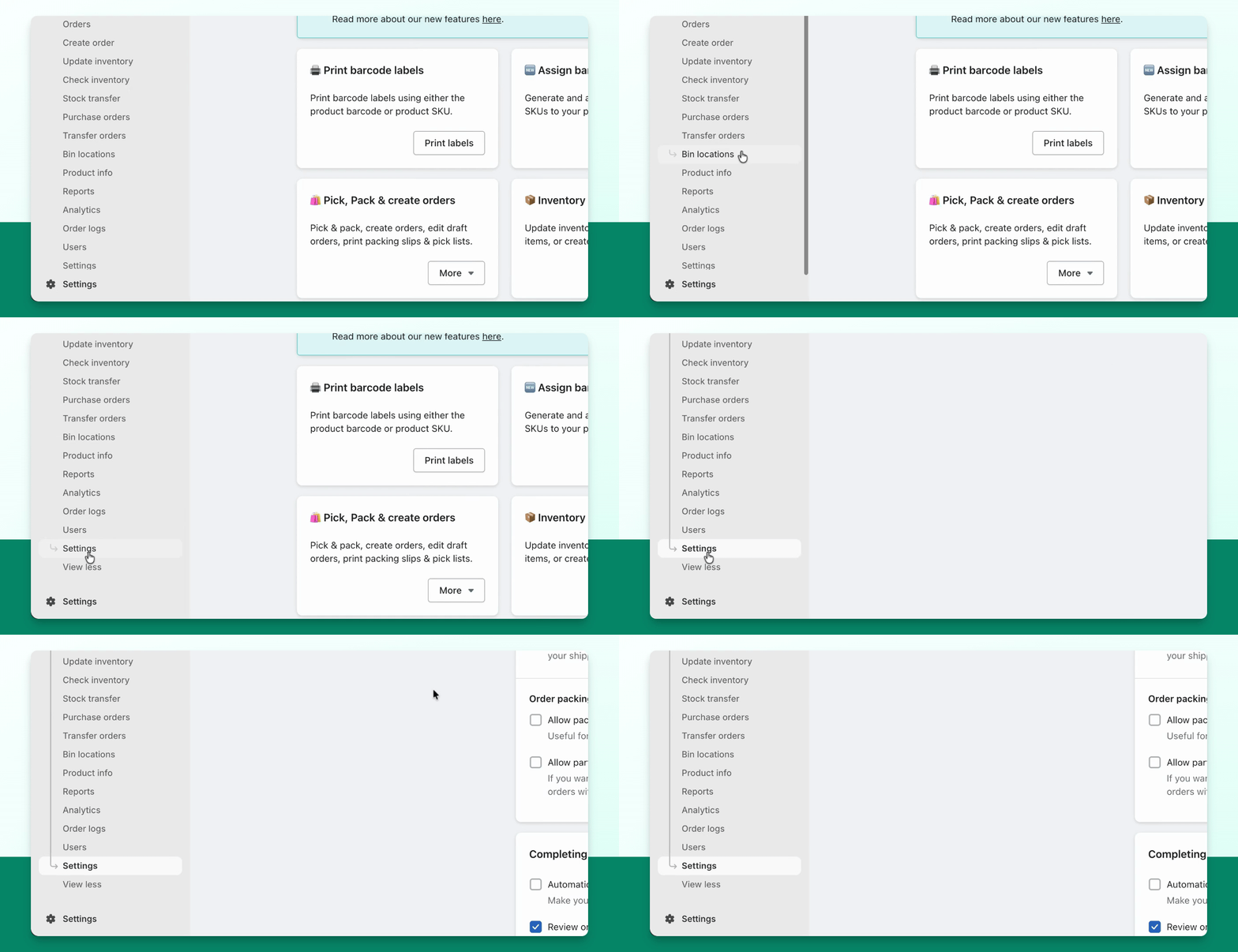
Step 2: Access General Tab
Go to the General tab within the settings menu.
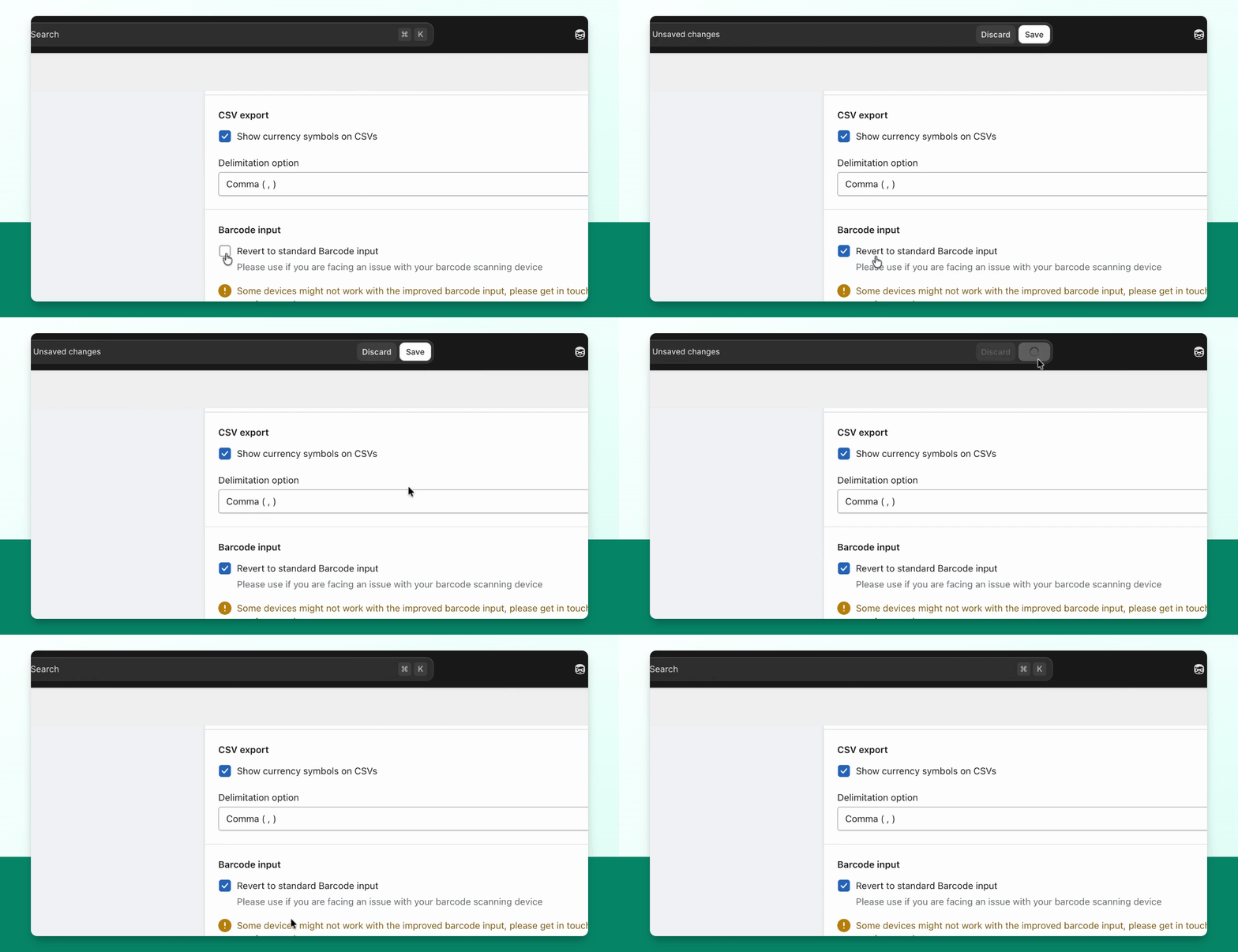
Step 3: Locate Barcode Input
Scroll down until you find the barcode input section.
Step 4: Enable Standard Input
Enable Revert to standard barcode input to troubleshoot scanning issues.
Step 5: Test Device
Check if enabling the standard input resolves the scanning issue with your device.
Troubleshooting
Scanner not working correctly
Toggle the barcode input setting to see if it improves performance.