

TL;DR
1
Go to Assign Existing page
Navigate to the Assign Existing page in EasyScan.
2
Select your product
Choose the product for barcode assignment.
3
Choose barcode method
Choose Barcode or SKU, then scan or type the existing code.
4
Update barcode
Select Assign and review any overwrite confirmation.
Let's Do It Together!
Step 1: Go to Assign Existing Page
Open Assign Existing and choose whether you want to update the Shopify Barcode or SKU field. Select the product variant, then scan or type its existing code into the field.
Step 2: Select Product
Check that you selected the correct product variant.
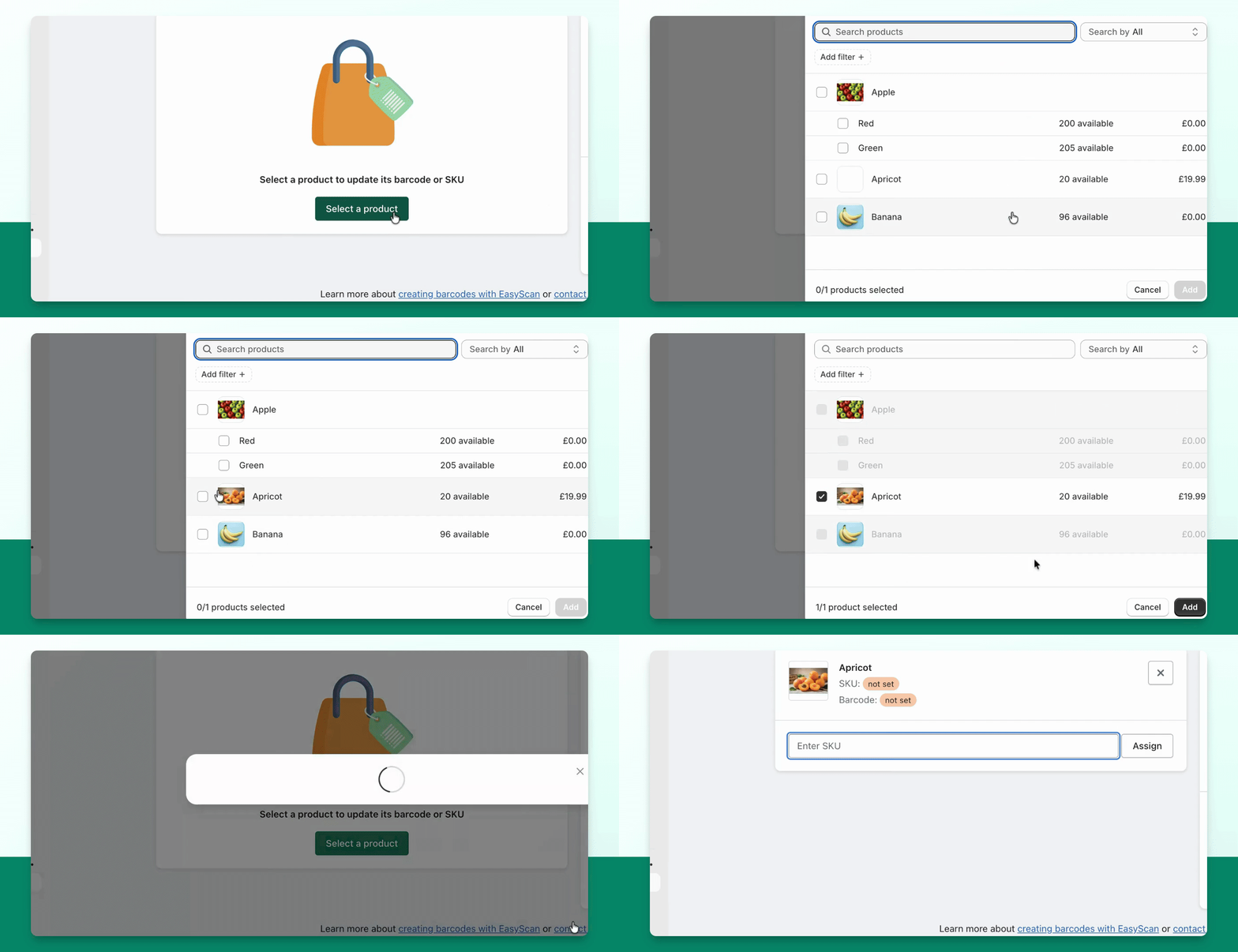
Step 3: Choose Barcode Method
Check the variant and entered value, then select Assign. A scanner configured to send Enter can submit the form. If the selected Shopify field already contains a value, review the overwrite confirmation before continuing.
Step 4: Confirm Barcode Assignment
Wait for the successful update, then test the code against the variant. Assigning a value to SKU updates the SKU field; it does not also change the Barcode field.